A power bank looks like a simple purchase until the wrong one is in your bag. It may be too heavy for everyday carry, too slow for a laptop, too small to finish a travel day, missing the cable your phone needs, or too large for an airline limit.
The best power bank is not always the biggest model on the shelf. It is the one that fits the devices you actually carry, charges them at a useful speed, comes from a trustworthy seller, and is easy enough to keep with you when you need it.
Use the decision as a small preparedness task: choose once, label the cables, charge it on a routine, and stop guessing when your phone drops below 10 percent.
Quick Answer
To choose a power bank, start with the device you need to charge most often. A compact 5,000 to 10,000 mAh model is usually enough for phone top-ups. A 10,000 to 20,000 mAh model is better for long days, travel, tablets, or multiple devices. For many laptops, look for USB-C Power Delivery, enough output wattage for your computer, and a capacity that stays within travel rules if you fly. Buy from a reputable seller, avoid damaged or recalled units, and carry lithium power banks in cabin baggage when flying.
Start With the Job, Not the Biggest Number
Capacity matters, but bigger is not automatically better.
A small power bank is easier to carry every day. A larger one can be useful for long flights, field work, conferences, camping, commuting, storms, or households that share devices. The tradeoff is weight, size, charging time, and travel restrictions.
Think in use cases. A small model is enough for an emergency phone top-up. A medium model suits a long commute, workday, or travel day. A larger model makes sense for tablets, shared use, or laptop backup, but only if it has the wattage and ports your devices require.
If the power bank is too bulky to carry, it may stay in a drawer. A smaller model that is always in your bag can be more useful than a larger model you rarely bring.
Understand mAh Without Overtrusting It
Most power banks advertise capacity in milliampere-hours, or mAh. That number is helpful for comparison, but it is not a precise promise of how many full phone charges you will get.
Some energy is lost while converting battery voltage, moving power through a cable, and charging the device battery. Phone battery sizes also vary. A 10,000 mAh power bank may not deliver two exact 5,000 mAh phone charges in real use.
Use mAh as a rough size class. A 5,000 mAh bank is a light backup for one phone. A 10,000 mAh bank is a balanced everyday size for many people. A 20,000 mAh bank is better for travel, tablets, shared use, or long days away from outlets. Above that, the bank becomes heavier and more likely to need travel checks.
For air travel and technical comparison, watt-hours matter more than mAh. Watt-hours measure energy. If a power bank label shows only mAh and voltage, the common calculation is voltage multiplied by amp-hours. For example, 20,000 mAh is 20 Ah; at 3.7 volts, that is about 74 Wh. Check the product label rather than guessing, because airlines and regulators use Wh limits.
Match the Charging Speed to Your Device
A power bank has two speed questions: how fast it charges your device, and how fast the bank itself recharges.
For phones, a basic output may be fine if you mostly charge overnight or during a commute. For a quick top-up before leaving, look for higher output and compatibility with your phone’s fast-charging standard.
For USB-C devices, USB Power Delivery is the phrase to understand. Modern USB-C charging can support much higher power levels than older USB charging. In ordinary shopping terms, that means you should look at watts, not only port shape.
As a rough guide, 18W to 30W is often enough for fast phone charging, 30W or more is more comfortable for many tablets, and laptops may need 45W, 60W, 65W, 100W, or more depending on the model.
Check your device charger or manufacturer guidance. If your laptop normally uses a 65W USB-C charger, a 20W power bank may keep a phone alive but will disappoint as a laptop backup.
Also check the input speed. A large power bank with slow input can take many hours to refill. If you plan to use it often, choose one that recharges quickly with the charger you already own.
Count Ports and Cables Before Buying
Ports are where convenience gets real.
A useful power bank should match your current cables and your next likely device. USB-C is increasingly common because it can handle charging in both directions on many devices, but many households still use a mix of USB-A, Lightning, Micro-USB, and proprietary accessories.
Before buying, list what you carry: phone, earbuds, watch, tablet, camera, laptop, portable hotspot, or small travel accessory. Then check whether the power bank can charge the most important two at the same time. If it has multiple ports, read the combined output. Some banks advertise high wattage from one port but reduce speed when two devices are connected.
Keep one short, reliable cable with the bank. A good power bank paired with the wrong cable becomes dead weight. If travel is the main use, GDU’s guide to preparing for checked luggage delays is a useful companion because chargers, power banks, medicines, and documents belong in the bag that stays with you.
Take Battery Safety Seriously
Power banks use lithium-ion batteries, which store a lot of energy in a small space. That is why they are useful, and also why quality matters.
Buy from a reputable brand or retailer. Be careful with unusually cheap listings, vague specifications, misspelled packaging, copied product photos, or sellers that cannot provide basic model and safety information. Look for credible safety certification from a recognized testing laboratory, and be cautious of counterfeit marks.
Do not use a power bank that is swollen, cracked, leaking, unusually hot, smoking, giving off an odor, or behaving unpredictably. Stop using recalled models and follow official disposal instructions. Do not throw recalled lithium-ion batteries into ordinary trash or general recycling unless local authorities specifically direct that route.
Daily care also helps. Keep it away from high heat, direct sun, water, crushing pressure, damaged cables, and soft surfaces that trap heat while charging. Replace it if the case swells, splits, smells unusual, or the ports loosen badly.
A power bank is a tool, not a risk to fear. Treat it like any other electrical product that deserves a quality check.
Check Airline Rules Before You Fly
If you fly, power banks need special attention.
Lithium power banks are generally treated as spare batteries, not as ordinary packed accessories. The practical default is simple: keep them in carry-on baggage, not checked luggage. If your carry-on is gate-checked, remove the power bank and keep it with you in the cabin.
Many everyday power banks fall at or below 100 Wh, but larger models can exceed that. Some batteries between 101 and 160 Wh may require airline approval, and airlines can set stricter quantity or capacity rules. Very large portable power stations are a different category and may not be allowed for normal passenger travel.
Before a trip, check the Wh rating printed on the power bank, the airline’s current battery policy, and whether your route, country, or carrier has stricter limits.
If the label is unreadable, missing, or confusing, do not assume it will pass. Choose a clearly labeled travel-friendly model instead.
Decide Whether Wireless Charging Is Worth It
Wireless charging sounds convenient, but it is not always the best reason to buy a power bank.
It can be useful for phones and earbuds that support it, especially if the bank magnetically aligns with the device. But wireless charging is often slower and less efficient than a cable. It can also generate more heat, require careful placement, and fail if the phone case is too thick.
If you want the simplest backup, prioritize a reliable cable connection first. Treat wireless charging as a bonus only if you already know your device supports it well.
Build a Small Charging Kit
The power bank is only one part of the system.
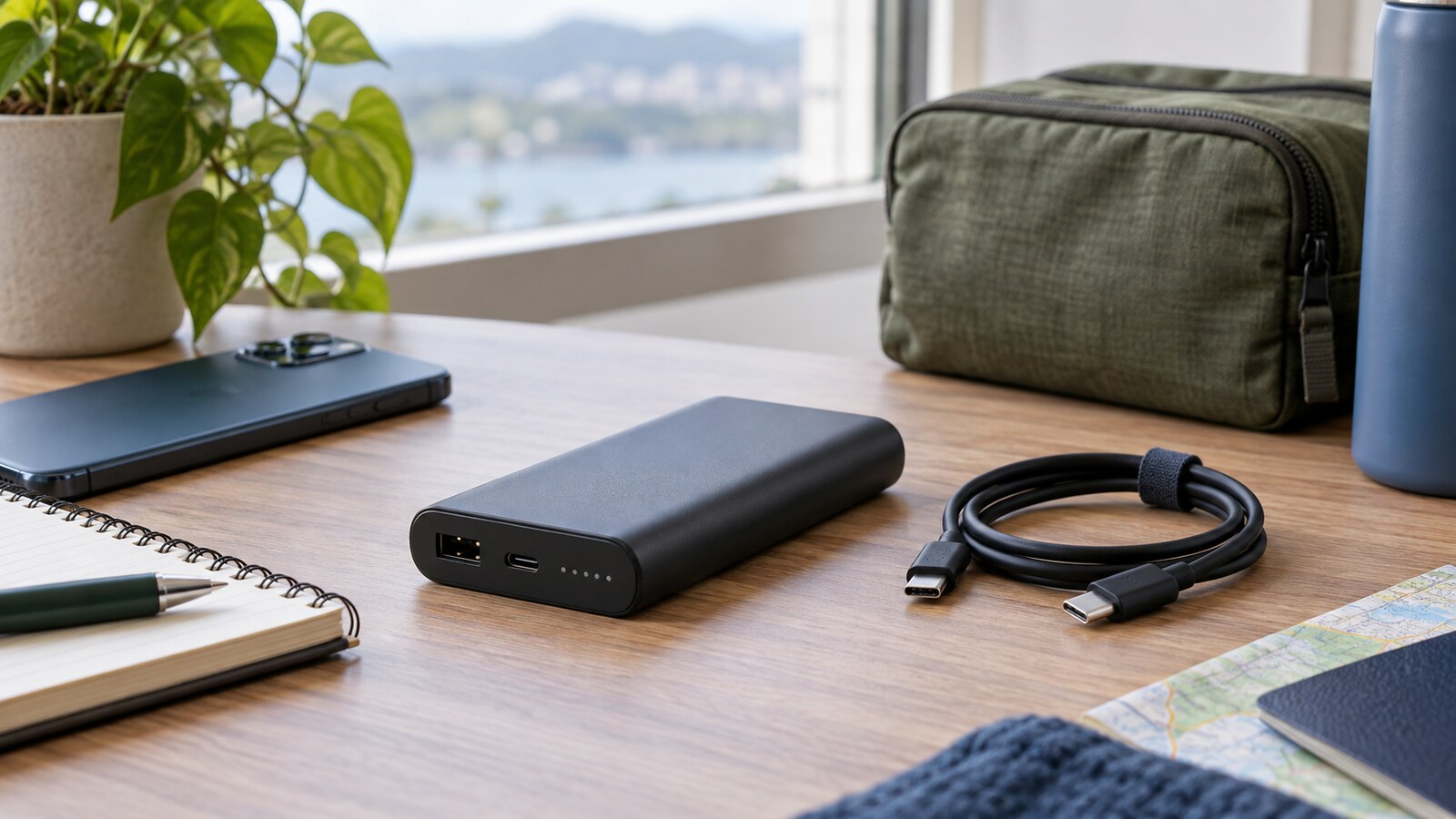
Create a small kit with the power bank, one short USB-C cable, any phone-specific cable still needed, a wall charger that can refill the bank at a practical speed, and a small pouch so cables do not damage ports. If the bank lives in an emergency drawer, add a label with the last recharge date.
For home preparedness, pair the kit with other simple routines. GDU’s guide to testing smoke alarms at home uses the same idea: a small monthly check prevents a quiet device from becoming unreliable when it matters.
For digital security, keep the charging kit separate from account recovery tools. If your phone dies during travel or a device change, power is useful, but access matters too. GDU’s guide to setting up a password manager safely can help reduce lockout risk.
Know When to Replace It
Power banks age. They may hold less charge, recharge slowly, shut off early, heat more than before, or fail to charge devices consistently.
Replace a power bank if it shows physical damage, swelling, melted areas, loose ports, corrosion, or sudden performance changes. Also replace it if it is so old that you no longer trust its capacity, label, or safety history.
If you are handing down or disposing of old electronics, think about the bank along with the rest of your devices. GDU’s guide to wiping an old phone or laptop before selling covers the data side of device handoff; batteries add a separate disposal responsibility.
A Simple Buying Checklist
Before you buy, answer a few questions. What device must it charge first? How many full or partial charges do you realistically need? Is it light enough to carry? Does the output wattage match your phone, tablet, or laptop? Are the Wh rating and safety information clear? Is the seller reputable? Do you already have the right cable? Will it comply with airline rules if you travel?
If the answer is unclear, pause before buying the largest or cheapest option. A power bank should reduce battery anxiety, not create a new set of doubts.
The Best Power Bank Is the One You Will Actually Carry
Choose a power bank around your real life: the phone that runs out during errands, the tablet your child uses on a long trip, the laptop that needs a short backup during travel, or the household drawer that should be ready during an outage.
Look for enough capacity, the right ports, useful wattage, clear labeling, credible safety certification, and a size you will actually keep nearby. Then pair it with the right cable and recharge it on a schedule.
The quiet win is not owning the biggest battery. It is reaching into your bag at the right moment and knowing the backup is ready.