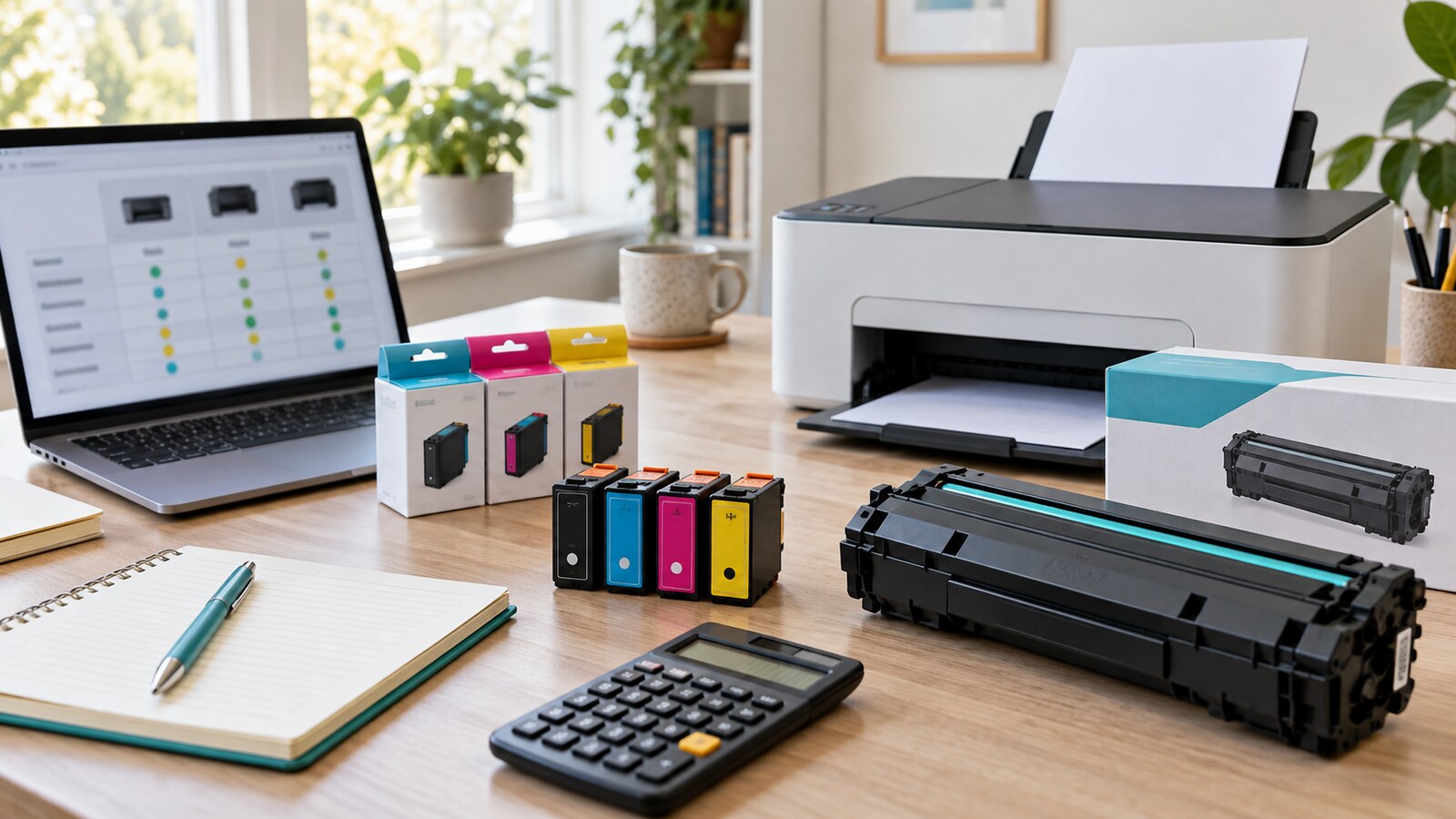
A low printer price can feel like a small victory until the first replacement cartridge costs almost as much as the machine.
That is why printer shopping should start with the work the printer will actually do. A household that prints one boarding pass a month has a different problem from a student printing lecture notes, a freelancer printing invoices, a family printing school forms, or a small home office printing color handouts. The best printer is not always the cheapest printer, the fastest printer, or the one with the longest feature list. It is the one whose supplies, maintenance, paper handling, and return terms fit your real use.
Printer ink and toner costs are not perfectly predictable, but they are not invisible. You can compare page yield, cartridge prices, high-yield options, refill systems, paper use, and warranty terms before the box reaches your desk.
Quick Answer
Before buying a printer, check the exact replacement ink or toner models, their current prices, and their stated page yields. Divide the cartridge price by the expected page yield to estimate cost per page, then adjust for how you print: black text, color graphics, photos, duplex documents, occasional use, or frequent batches. Also check whether cartridges are easy to find, whether high-yield or refill options exist, whether the printer supports automatic double-sided printing, and whether the seller’s return policy covers opened printers and supplies.
Start With Your Real Print Volume
Printer ads often speak to an imaginary buyer who prints a little of everything at just the right pace. Real use is more uneven.
Before comparing models, estimate the next three months:
- How many pages do you print in a normal week?
- How many are black text?
- How many use color charts, images, or school graphics?
- Do you print photos, labels, envelopes, shipping forms, or thick paper?
- Do you print in short bursts after weeks of inactivity?
- Does more than one person need to use the same printer?
- Do you need scanning, copying, automatic document feeding, or mobile printing?
This matters because the cheapest inkjet can be reasonable for occasional forms but frustrating for a heavy document user. A laser printer can be efficient for black text but may be unnecessary for light home use. A tank-style inkjet can reduce bottled-ink cost for some users but usually has a higher purchase price. A color printer may seem useful until you realize most of your printing is black-and-white.
Write down the job first. Then shop for the printer.
Find the Exact Supply Names
Do not compare printers until you know what each one eats.
For every model on your shortlist, find:
- The standard black cartridge or toner.
- The standard color cartridges or toner set.
- Any high-yield or extra-high-yield versions.
- Whether the printer uses separate color cartridges or one combined color cartridge.
- Whether starter cartridges in the box have lower yield than normal replacements.
- Whether a drum, maintenance box, printhead, waste toner bottle, or imaging unit may need replacement later.
Separate color cartridges can be useful if you often run out of one color first. A combined color cartridge can be simpler, but you may replace the whole unit when only one color is empty. Laser printers may separate toner from drum units, so the toner price alone may not be the whole long-term cost.
This is also where availability matters. If cartridges are sold only by one store, are often out of stock, or cost much more in your region than the printer itself suggests, the low purchase price deserves skepticism.
Use Page Yield as a Comparison Tool
Page yield is the stated number of pages a cartridge is expected to print under a defined test method. It is useful because it gives buyers something more objective than “standard” or “XL.”
ISO has standards for measuring inkjet cartridge yield, including ISO/IEC 24711 for color inkjet cartridges used with defined test pages. Major printer makers commonly describe cartridge yields by referring to these industry methods. Canon describes page yield as a key factor when comparing inkjet printers, and HP notes that ISO page yields are a starting point for comparison rather than a promise of what every household will get.
That last caution matters. Your real yield can be lower or higher depending on page coverage, print quality setting, photos, cleaning cycles, humidity, paper type, and whether the printer sits unused. A full-page color flyer uses far more ink than a mostly blank text page. Photo printing is its own category. So use page yield to compare printers under similar assumptions, not to predict the exact date you will buy supplies.
Calculate a Rough Cost Per Page
The basic formula is simple:
| Supply | Price | Stated yield | Rough cost per page |
|---|---|---|---|
| Black cartridge | 20 | 200 pages | 0.10 per page |
| High-yield black cartridge | 40 | 600 pages | 0.07 per page |
| Toner cartridge | 70 | 1,500 pages | 0.05 per page |
Use your own currency and current local prices. The point is the relationship, not the example numbers.
For color inkjets, calculate black and color separately. If a three-color pack costs 45 and each cartridge is rated at 300 pages, the real cost depends on whether your printing uses all colors evenly. If you print many blue worksheets or color-heavy graphics, one cartridge may empty first.
For laser printers, check whether the toner yield assumes standard coverage. Dense graphics, shaded backgrounds, and full-page designs use more toner than plain letters. If you print mostly contracts, invoices, essays, forms, shipping labels, or black text, a monochrome laser printer may be cheaper over time than a low-priced color inkjet.
Compare the Cheap Printer With the Second Year
The purchase price is only the first line.
Make a simple two-year estimate:
- Printer price.
- Supplies included in the box.
- Expected replacement ink or toner.
- Paper use.
- Possible maintenance supplies.
- Warranty, return shipping, or service costs.
Then compare the total. A printer that costs more upfront may become cheaper if it uses high-yield supplies, refill bottles, automatic double-sided printing, or durable consumables. A cheap printer may still win if you rarely print and replacement supplies are easy to buy in small quantities.
Do not let the spreadsheet become fake precision. You are not forecasting every page. You are avoiding the obvious trap of buying the lowest sticker price while ignoring the supplies that make the printer usable.
Check Duplex Printing and Paper Habits
Ink and toner get attention, but paper is also part of the cost.
ENERGY STAR’s imaging-equipment guidance points buyers toward efficient printers, power management, and automatic duplexing capabilities. Double-sided printing can reduce paper use when documents do not need to be single-sided. Many printers can also print multiple pages on one sheet for drafts, readings, meeting notes, or reference copies.
Before buying, check whether duplex printing is automatic or manual. Manual duplexing can work, but many people stop using it because it interrupts the job. Automatic duplexing is easier to keep as a default.
Also look for:
- Draft or economy mode for internal documents.
- Black-only printing options.
- Reliable paper tray capacity for your use.
- Support for the paper sizes you actually need.
- Scanner and copy features if they prevent separate trips to a shop.
The goal is not to print everything. It is to make the pages you do print less wasteful.
Think About Occasional Use
Occasional printing sounds cheap, but it can create a different problem: supplies that dry, clog, expire, or trigger cleaning cycles.
If you print rarely, check whether the model is known for simple maintenance and whether replacement cartridges are sold in smaller packs. A high-capacity supply is not a bargain if it sits unused until it dries out or the printer becomes unreliable. For very occasional black-and-white documents, using a local print shop, library, workplace-approved printer, or delivery service may be cheaper than owning a printer at all.
If you do need a home printer for urgent school, visa, medical, work, or travel documents, convenience may justify a higher cost per page. Just be honest about what you are buying: backup access, not necessarily the cheapest printing.
Read Return, Warranty, and Supply Rules
Printers can be awkward to return because they may be bulky, opened, installed, or bundled with consumable supplies. The FTC’s online shopping guidance tells consumers to check refund policies, return shipping costs, deadlines, and restocking fees before buying. That is especially useful for printers because a short return window may close before you test all functions.
Before purchase, check:
- Can an opened printer be returned?
- Are opened ink or toner supplies excluded?
- Who pays return shipping?
- Is there a restocking fee?
- What proof of purchase is required for warranty service?
- Does the warranty cover the problem you are most worried about?
- Are there regional restrictions on service or supplies?
After buying, save the receipt, model number, serial number, warranty terms, and first supply order. GDU’s guide to organizing warranty receipts before something breaks can help keep those records findable.
Watch for Lock-In and Compatibility Confusion
Printer supplies are model-specific. A cartridge that looks similar may not work in a slightly different printer. Some printers use firmware, chips, subscription programs, or regional supply rules that affect what the device accepts.
Before you buy, search the official support page for the exact model and supply number. Do not rely only on marketplace titles, because third-party listings can mix compatible models, old packaging, and look-alike cartridges. If you choose third-party or remanufactured supplies, understand the tradeoff: lower price may come with quality variation, support disputes, or more troubleshooting.
Also check whether the printer requires an account, app, internet connection, or subscription for features you expect to use. A printer that depends on a service you dislike may be the wrong device even if the ink math looks good.
A Practical Printer Buying Checklist
Use this before checkout:
- I know my approximate monthly page volume.
- I know whether I mostly print black text, color documents, photos, or labels.
- I found the exact ink or toner model numbers.
- I checked current replacement prices from more than one reliable seller.
- I calculated rough cost per page for standard and high-yield supplies.
- I checked whether starter cartridges are smaller than normal cartridges.
- I checked duplex printing, paper tray size, scanner needs, and supported paper sizes.
- I checked whether maintenance supplies may be needed later.
- I read the return policy for opened printers and supplies.
- I saved or bookmarked the warranty and support page.
If the printer still looks good after that checklist, the purchase is much less likely to surprise you.
Common Mistakes
The first mistake is buying by printer price alone. A cheap printer with expensive low-yield cartridges may cost more than a higher-priced model after a few supply orders.
The second mistake is ignoring your actual print mix. Black text, color school projects, photos, labels, and business documents do not use supplies the same way.
The third mistake is assuming all cartridges are easy to find. Availability can change by country, store, and model age.
The fourth mistake is forgetting paper and duplex printing. A printer that makes double-sided drafts easy can reduce waste without much effort.
The fifth mistake is throwing away records. Keep receipts, warranty details, model numbers, and supply names somewhere searchable. If the purchase was online, pair this with GDU’s guide to checking return policies before buying.
The Bottom Line
A printer is not a one-time purchase. It is a small supply system.
Before the cheap printer wins, price the ink or toner, check page yields, estimate the second year, read the return terms, and make sure the printer fits the documents you actually produce. The best deal is the device that keeps working at a cost you saw coming.